

Learning FINPACK, update and log-in errors, uploading FINPACK files into FINPACK+, and more in the latest FAQS from the FINPACK support team!
I’m new to FINPACK and want to learn how to use it effectively. Do you have any resources to help?
Within FINPACK, you can access the User Manual by clicking Help > “How do I”. This manual provides detailed guidance on each section of FINPACK, including data entry and interpreting results. In addition, FINPACK Online Training is included in the system-wide FINPACK license for all lenders, providing comprehensive training at your pace, and featuring modules on commercial credit analysis, agricultural credit analysis, and navigating FINPACK+. The training allows you and your team to learn how to use FINPACK software quickly and conveniently. Learn more here.
After renewing my FINPACK license and updating, I get this error:
“C:\Users<username>\Documents\FINPACK\FPSetup.SET does not exist.”
Why is this happening, and how can I fix it?
With FINPACK version 6.5, you can now install updates without administrative privileges. If you chose this option, a new desktop shortcut labeled “FINPACK 2025” was created and the old shortcut you are using no longer works. To resolve the issue, use the new shortcut (“FINPACK 2025”) to open the program. You may be prompted to register again—once completed, FINPACK should work as expected. You can then delete the old shortcut, as it no longer works.
I’ve imported data from different FINPACK files on the desktop application, but I haven’t done it in FINPACK+. How can I complete this process?
You can find a detailed guide here that walks you through the entire process in FINPACK+. And of course, if you need further assistance, please feel free to reach out to FINPACK Support for help!
I created a Balance Sheet but need to change its date. Is there a way to do this?
You can’t edit the date on an existing balance sheet, but you can create a copy with the correct date:
- Click “Create Balance Sheet from a Copy.”
- Select the balance sheet you want to modify.
- Set the correct date for the new balance sheet.
- Confirm the changes—you’ll now have the same balance sheet with the correct date.
If needed, you can delete the incorrectly dated balance sheet.
I was working in FINPACK+ when this error message appeared, and now I can’t log in. How can I fix this?
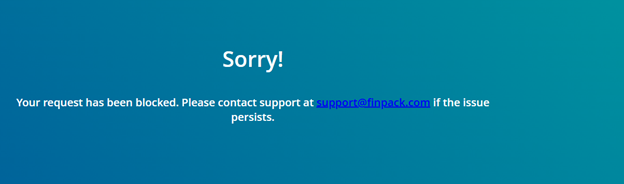
This is a minor issue that can be resolved by clearing your browser’s cache and cookies. Follow these guides for your browser:
After clearing your browser, return to finpackplus.com and try logging in again. This should resolve the issue.
Connect with FINPACK
If you have any questions about any aspect of FINPACK, please don’t hesitate to contact us, and don’t forget to follow FINPACK on Facebook and Instagram, or connect with us on LinkedIn, and be sure to subscribe to FINPACK News email updates.
